RZ-12 Resonator manual
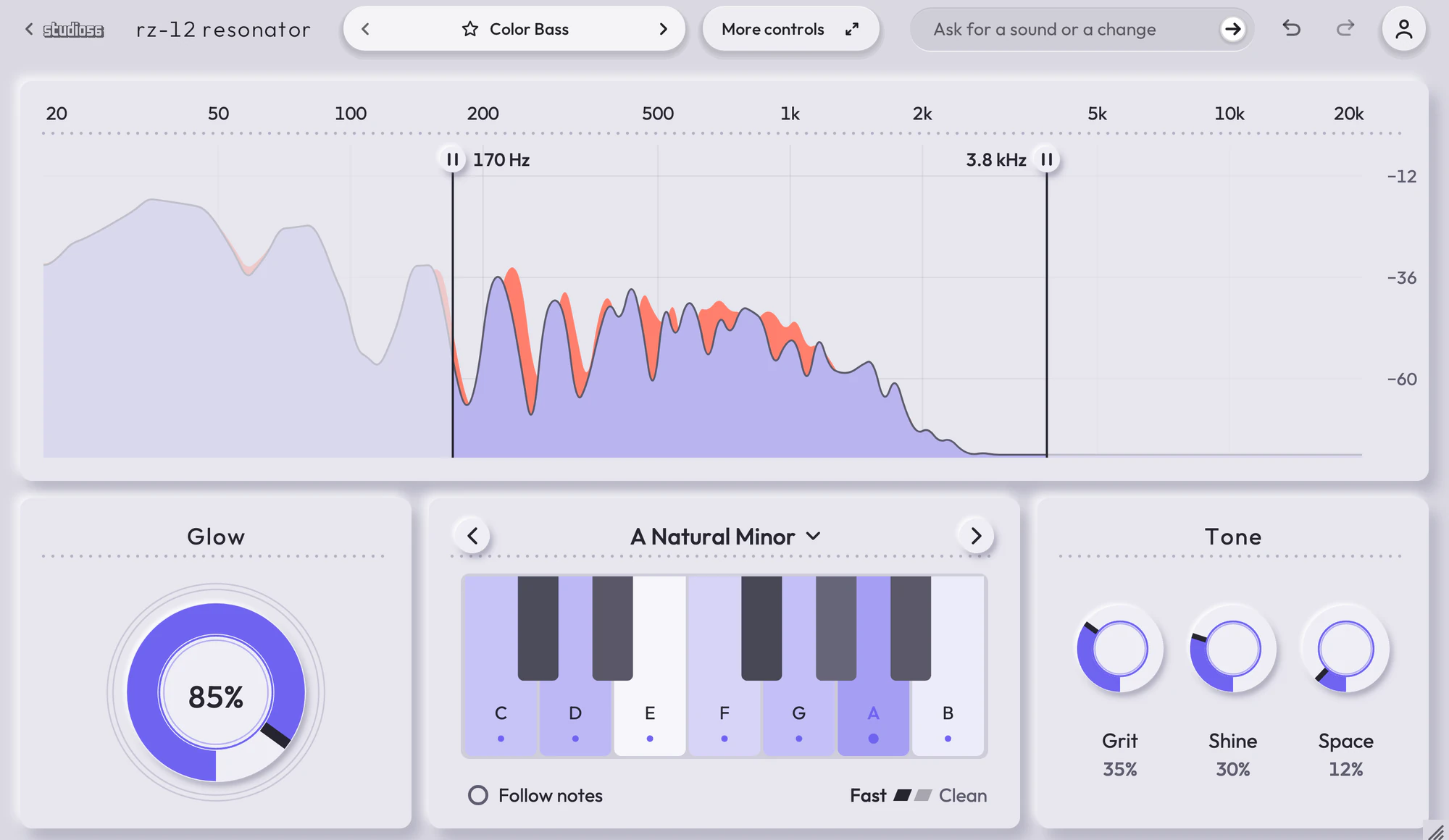
A color effect that makes any sound ring on the notes of your key, with an octave shimmer over it. RZ-12 Resonator adds the color of a key to whatever goes through it. Glow puts a resonator on each note of the key, so a plain bass turns into color bass, a flat pad or lead glows, a drum loop rings in tune and noise turns into chords, and Shine lifts an octave shimmer over it. Under the ring, every part of the sound that sits between the key’s notes moves onto the nearest one, so all that rings stays in key. A three-stage drive comes first, giving the key’s notes more to ring on, and a reverb and a limiter come last.
On this page
Open it in your DAW
RZ-12 Resonator plays inside Studio 56 FX, which installs with Studio 56. Add Studio 56 FX to a track as an effect and sign in, then choose RZ-12 Resonator on Home.
If you don’t have Studio 56 yet, the Support page shows how to install it and add it to a track in your DAW.
The four knobs
The four knobs on RZ-12 Resonator’s screen shape the whole sound, and each preset sets where they start.
- Glow
- From the sound as it is to the key’s notes ringing loudest through it.
- Grit
- Drives the sound before it rings, from clean to all driven, so the key’s notes have more to ring on.
- Shine
- Carries the glow into the top and lifts an octave shimmer over it.
- Space
- Opens a room around it, from dry to a long, wide space, with the sub kept dry.
Your DAW records every turn as automation, and Undo takes a turn back.
Using presets
Click the preset’s name at the top to see them all, or use the arrows beside it to go to the next or the one before. Its folders are down the side, with Favorites and My presets under them, and the star beside a preset keeps it in Favorites.
Save as new keeps the sound you have under a name of your own in My presets, and Save updates one of yours. Point at one of yours to rename or delete it.
Write 4 more like this writes four new presets close to the one you’re on and places them around it on the map beside the list. Drag the dot between them to blend, and Keep this sound saves the blend as a preset of your own. It works with Pro and on a plugin you bought.
82 presets
RZ-12 Resonator comes with 82 presets in 13 folders, each named for how it sounds.
- Color BassColor Bass
- Growl in KeyColor Bass
- Wobble HaloColor Bass
- Neon ReeseColor Bass
- Liquid Color BassColor Bass
- Screaming ColorColor Bass
- Robot Bass in KeyColor Bass
- Glass GrowlColor Bass
- Dark Color BassColor Bass
- Riddim ColorColor Bass
+ 72 more presets
More controls
More controls at the top opens the settings RZ-12 Resonator’s face has no room for. Press it again to go back.
Any key in nineteen scales, or your own notes pressed on its keys, or Follow Notes to ring on the notes a MIDI track sends it. About 2 milliseconds of delay, which your music app makes up for, so it can sit on a track you record through. On every bass preset the sub stays centered.
- Multi-Stage Drive
- Stacks three distortions, each on its own band, such as saturated lows, clipped mids and crushed highs with the rest left clean.
- Key Snap
- Moves every part of a sound that sits on an out-of-key semitone to the nearest note of the key, and turned further rings the key’s notes through it.
- Shimmer Reverb
- Adds a reverb whose tail climbs an octave or a fifth at a time or sinks, and can freeze into a pad.
- Clip Limiter
- Sits last in the chain, a clipper into a limiter that holds the output under the ceiling you set.
System requirements
- Mac
- macOS 10.15 Catalina or later, on Apple silicon or Intel
- Windows
- Windows, 64-bit
- Plugin formats
- VST3 and AU on Mac, VST3 on Windows
- DAWs
- Ableton Live, Logic Pro, GarageBand, FL Studio and other DAWs that load VST3 or AU plugins, but not Pro Tools
- Internet
- To sign in, to get what you buy and to make instruments and effects, but not to play them
More help
Installing Studio 56, using it offline and other questions are answered on the Support page. For anything else, write to oliver@studio56.ai.